One Toyota App26.5.1 - App Store

Please wait ... The app listing is being verified for availability.
You'll be able to see results in few seconds.


Publisher Description

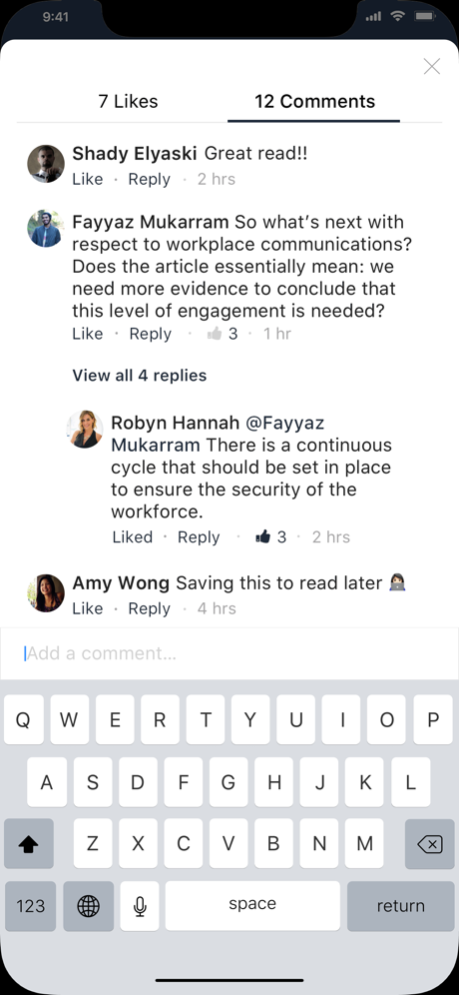
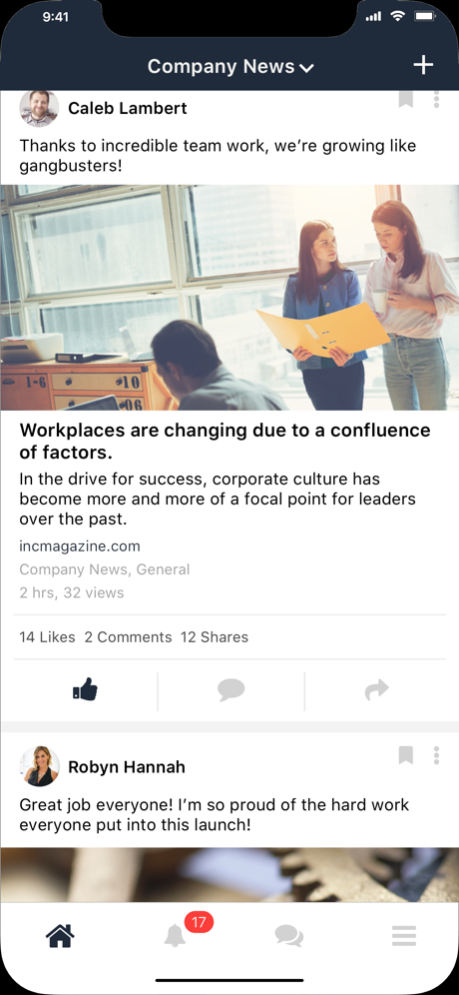
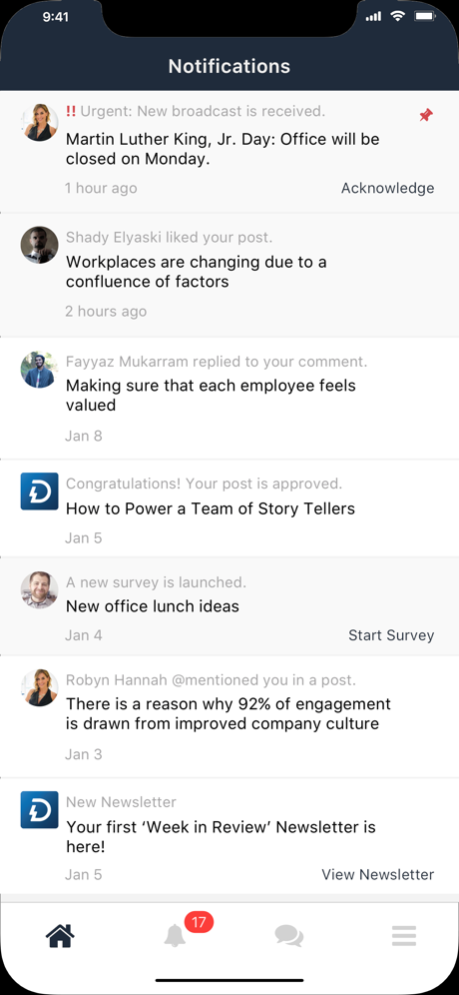
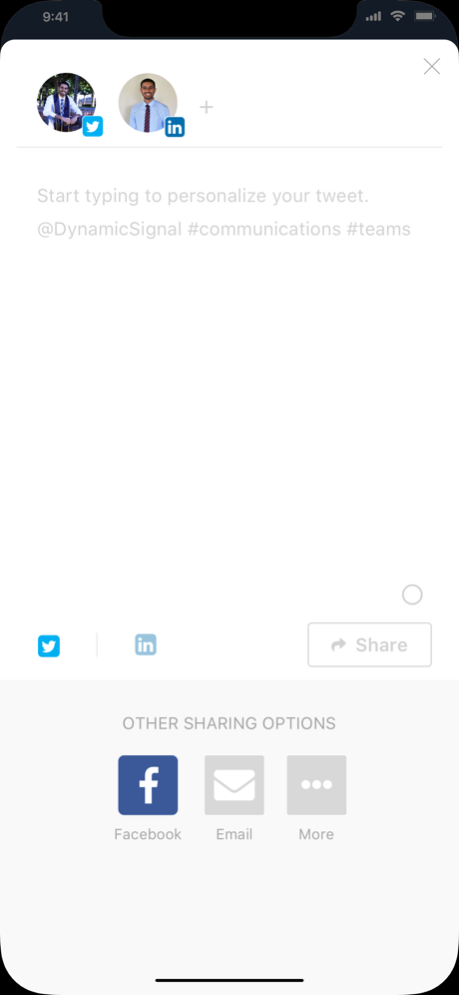
The One Toyota mobile app brings together all of the communications in one place, keeping you informed on the latest company news and events. Toyota ambassadors can read, organize and share news, while being part of an engaged community.

Version History - QR code usage is now tracked, giving your organization better insight into how QR codes are used
- Smoother post creation and editing
- Improved navigation and display
- Fixes for crashes and sign-in issues
- General stability and performance improvements 26.5.1 4d ago • Added new content creation capabilities for supported programs

• Improved media uploads, attachments, and publishing experiences

• Enhanced submission workflows for greater reliability

• Added the ability to personalize the order of homepage shortcuts while keeping organization-pinned shortcuts prioritized

• Enhanced the notification experience

• Improved overall performance and resolved bugs 26.5.0 5d ago Emergency Hot Fix 24.5.5 12/19/2025 App Crash Fix 24.5.2 05/20/2025 General Bug Fixes 24.5.0 04/01/2025 - General bug fixes and other enhancements
- Introduced added crash reporting within app 23.14.0 12/10/2023 - Add support for Greek and Bulgarian languages
- General bug fixes and enhancements 23.1.0 01/21/2023 - Certain UI labels weren’t getting translated to the proper display language.
- Added functionality to have Quick Links and links in Custom pages route you to the corresponding custom pages, posts, or other areas within the app.
- Other bug fixes and enhancements. 21.24.0 12/19/2021 - The Switch Community screen now respects the user's language setting.
- Other bug fixes and enhancements. 21.18.0 09/13/2021 - Improved the user experience when viewing an expired poll that the user never responded to.
- Better support of portrait images in the image preview for videos and posts in the mobile home tab.
- Improved the "Group" icon shown in the Create Broadcast flow.
- Updated mobile login experience to simplify and improve login flow.
- Added functionality to add images in quick polls. 21.10.0 05/28/2021 - Thumbnails for videos imported from Facebook Page feeds will no longer be cropped.
- Post titles are no longer clipped in the details view of an image gallery post.
- Document attachments should now be visible accessible from the broadcast details view.
- Fixed issue in which user sometimes couldn’t access "My Content" (exact label may vary) from category menu.
- Fixed issue with missing "Done" button when selecting subtitles.
- iOS Splash screen Logo: First time user launch the app on mobile device splash screen appears without Logo and sign in page opens first instead of Public news feed. 20.15.0 09/06/2020 - Mobile experience functionality can be enabled
- Improved UX for subscribing to Categories
- Updated Directory sorting results to be ordered alphabetically w/o selecting a source type
- Fixed issue causing some members to erroneously receive “image too large” errors when uploading photos.
- Imported LinkedIn Page posts will no longer show duplicate content in some cases.
- Fixed issue with importing Suggested Share Text for Email
- Fixed issue with redirect for Category push notification 20.7.0 06/24/2020 - Audio files played from a custom page should no longer cause an error.
- Post body images don’t replace the cover image in the news feed now.
- Downloading a PSD file no longer displays a spinning wheel icon indefinitely. 20.2.0 02/21/2020 19.0.0 11/27/2019


About One Toyota App

One Toyota App is a free app for iOS published in the Vertical Market Apps list of apps, part of Business.

The company that develops One Toyota App is Toyota Motor Sales, U.S.A., Inc.. The latest version released by its developer is 26.5.1.

To install One Toyota App on your iOS device, just click the green Continue To App button above to start the installation process. The app is listed on our website since 2026-10-14 and was downloaded 0 times. We have already checked if the download link is safe, however for your own protection we recommend that you scan the downloaded app with your antivirus. Your antivirus may detect the One Toyota App as malware if the download link is broken.

How to install One Toyota App on your iOS device:

  • Click on the Continue To App button on our website. This will redirect you to the App Store.
  • Once the One Toyota App is shown in the iTunes listing of your iOS device, you can start its download and installation. Tap on the GET button to the right of the app to start downloading it.
  • If you are not logged-in the iOS appstore app, you'll be prompted for your your Apple ID and/or password.
  • After One Toyota App is downloaded, you'll see an INSTALL button to the right. Tap on it to start the actual installation of the iOS app.
  • Once installation is finished you can tap on the OPEN button to start it. Its icon will also be added to your device home screen.

Program Details


General

Publisher
Released Date
2026-10-14
Languages
English

Category

Category
Subcategory

System requirements

Operating systems
iOS

Download information

File size
152 bytes
Total downloads
0

Pricing

License model
Free
Price

Version History


Here you can find the changelog of One Toyota App since it was posted on our website on 2021-12-16. The latest version is 26.5.1 and it was updated on Apps112 on 16 October, 2026. See below the changes in each version:

version 26.5.1

posted on 2026-10-14

Version History - QR code usage is now tracked, giving your organization better insight into how QR codes are used
- Smoother post creation and editing
- Improved navigation and display
- Fixes for crashes and sign-in issues
- General stability and performance improvements 26.5.1 4d ago • Added new content creation capabilities for supported programs

• Improved media uploads, attachments, and publishing experiences

• Enhanced submission workflows for greater reliability

• Added the ability to personalize the order of homepage shortcuts while keeping organization-pinned shortcuts prioritized

• Enhanced the notification experience

• Improved overall performance and resolved bugs 26.5.0 5d ago Emergency Hot Fix 24.5.5 12/19/2025 App Crash Fix 24.5.2 05/20/2025 General Bug Fixes 24.5.0 04/01/2025 - General bug fixes and other enhancements
- Introduced added crash reporting within app 23.14.0 12/10/2023 - Add support for Greek and Bulgarian languages
- General bug fixes and enhancements 23.1.0 01/21/2023 - Certain UI labels weren’t getting translated to the proper display language.
- Added functionality to have Quick Links and links in Custom pages route you to the corresponding custom pages, posts, or other areas within the app.
- Other bug fixes and enhancements. 21.24.0 12/19/2021 - The Switch Community screen now respects the user's language setting.
- Other bug fixes and enhancements. 21.18.0 09/13/2021 - Improved the user experience when viewing an expired poll that the user never responded to.
- Better support of portrait images in the image preview for videos and posts in the mobile home tab.
- Improved the "Group" icon shown in the Create Broadcast flow.
- Updated mobile login experience to simplify and improve login flow.
- Added functionality to add images in quick polls. 21.10.0 05/28/2021 - Thumbnails for videos imported from Facebook Page feeds will no longer be cropped.
- Post titles are no longer clipped in the details view of an image gallery post.
- Document attachments should now be visible accessible from the broadcast details view.
- Fixed issue in which user sometimes couldn’t access "My Content" (exact label may vary) from category menu.
- Fixed issue with missing "Done" button when selecting subtitles.
- iOS Splash screen Logo: First time user launch the app on mobile device splash screen appears without Logo and sign in page opens first instead of Public news feed. 20.15.0 09/06/2020 - Mobile experience functionality can be enabled
- Improved UX for subscribing to Categories
- Updated Directory sorting results to be ordered alphabetically w/o selecting a source type
- Fixed issue causing some members to erroneously receive “image too large” errors when uploading photos.
- Imported LinkedIn Page posts will no longer show duplicate content in some cases.
- Fixed issue with importing Suggested Share Text for Email
- Fixed issue with redirect for Category push notification 20.7.0 06/24/2020 - Audio files played from a custom page should no longer cause an error.
- Post body images don’t replace the cover image in the news feed now.
- Downloading a PSD file no longer displays a spinning wheel icon indefinitely. 20.2.0 02/21/2020 19.0.0 11/27/2019

version 24.5.5

posted on 2026-10-06

Version History Emergency Hot Fix 24.5.5 12/19/2025 App Crash Fix 24.5.2 05/20/2025 General Bug Fixes 24.5.0 04/01/2025 - General bug fixes and other enhancements
- Introduced added crash reporting within app 23.14.0 12/10/2023 - Add support for Greek and Bulgarian languages
- General bug fixes and enhancements 23.1.0 01/21/2023 - Certain UI labels weren’t getting translated to the proper display language.
- Added functionality to have Quick Links and links in Custom pages route you to the corresponding custom pages, posts, or other areas within the app.
- Other bug fixes and enhancements. 21.24.0 12/19/2021 - The Switch Community screen now respects the user's language setting.
- Other bug fixes and enhancements. 21.18.0 09/13/2021 - Improved the user experience when viewing an expired poll that the user never responded to.
- Better support of portrait images in the image preview for videos and posts in the mobile home tab.
- Improved the "Group" icon shown in the Create Broadcast flow.
- Updated mobile login experience to simplify and improve login flow.
- Added functionality to add images in quick polls. 21.10.0 05/28/2021 - Thumbnails for videos imported from Facebook Page feeds will no longer be cropped.
- Post titles are no longer clipped in the details view of an image gallery post.
- Document attachments should now be visible accessible from the broadcast details view.
- Fixed issue in which user sometimes couldn’t access "My Content" (exact label may vary) from category menu.
- Fixed issue with missing "Done" button when selecting subtitles.
- iOS Splash screen Logo: First time user launch the app on mobile device splash screen appears without Logo and sign in page opens first instead of Public news feed. 20.15.0 09/06/2020 - Mobile experience functionality can be enabled
- Improved UX for subscribing to Categories
- Updated Directory sorting results to be ordered alphabetically w/o selecting a source type
- Fixed issue causing some members to erroneously receive “image too large” errors when uploading photos.
- Imported LinkedIn Page posts will no longer show duplicate content in some cases.
- Fixed issue with importing Suggested Share Text for Email
- Fixed issue with redirect for Category push notification 20.7.0 06/24/2020 - Audio files played from a custom page should no longer cause an error.
- Post body images don’t replace the cover image in the news feed now.
- Downloading a PSD file no longer displays a spinning wheel icon indefinitely. 20.2.0 02/21/2020 19.0.0 11/27/2019

version 24.5.5

posted on 2025-12-19

Emergency Hot Fix

version 24.5.2

posted on 2025-05-20

May 20, 2025
Version 24.5.2
App Crash Fix

version 24.5.0

posted on 2025-04-01

Apr 1, 2025
Version 24.5.0
General Bug Fixes

version 23.14.0

posted on 2023-12-10

Dec 10, 2023
Version 23.14.0
- General bug fixes and other enhancements
- Introduced added crash reporting within app

version 23.1.0

posted on 2023-01-21

Jan 21, 2023
Version 23.1.0
- Add support for Greek and Bulgarian languages
- General bug fixes and enhancements

version 21.24.0

posted on 2021-12-19

Dec 19, 2021 Version 21.24.0
- Certain UI labels weren’t getting translated to the proper display language.
- Added functionality to have Quick Links and links in Custom pages route you to the corresponding custom pages, posts, or other areas within the app.
- Other bug fixes and enhancements.

version 21.18.0

posted on 2021-09-13

Sep 13, 2021 Version 21.18.0
- The Switch Community screen now respects the user's language setting.
- Other bug fixes and enhancements.

Disclaimer


Official App Store Link


We do not host One Toyota App on our servers. We did not scan it for viruses, adware, spyware or other type of malware. This app is hosted by Apple and passed their terms and conditions to be listed there. We recommend caution when installing it.

The App Store link for One Toyota App is provided to you by apps112.com without any warranties, representations or guarantees of any kind, so access it at your own risk.

If you have questions regarding this particular app contact the publisher directly. For questions about the functionalities of apps112.com contact us.


Click stars to rate this APP!

Users Rating:
  0.0/5     0
Downloads: 0
Updated At: 2026-10-16
Operating System: iOS
License Type: Free

TOP DOWNLOADS
in Business last week